
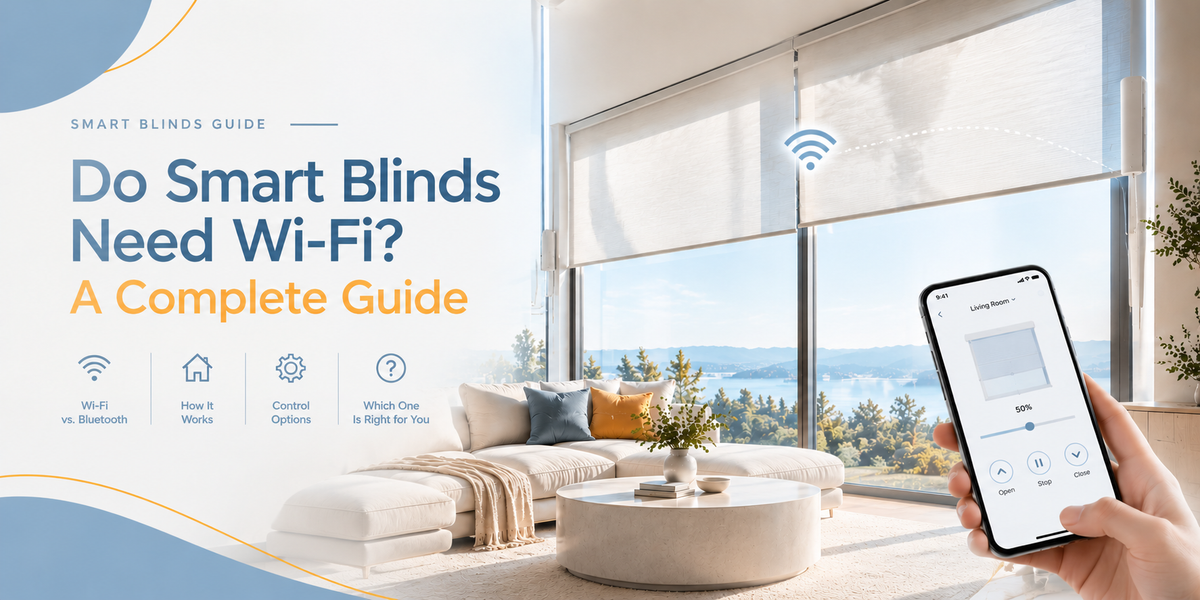
Smart blinds can make everyday light control easier, but the technology behind them isn't always as straightforward as it sounds. Some motorized blinds operate with a remote, while others connect to an app, Wi-Fi network, or compatible smart-home system.
So, do smart blinds need Wi-Fi to work?
Not always. It depends on the motor, control system, and features you want to use. Understanding these differences can help you choose window shades that fit your home without paying for features you don't need.

Do Smart Blinds Need Wi-Fi?
The short answer is that basic motorized operation and smart-home connectivity are two different things.
A motorized shade uses an electric motor to raise or lower the fabric. Depending on the model, you may operate it with a remote control, a wall control, an app, or a connected smart-home system.
Wi-Fi becomes relevant when a shade's features rely on a network connection. For example, a compatible smart shade may use Wi-Fi or a connected bridge to support app-based control, voice commands, or remote access when you're away from home.
Here's a simple comparison:
| Feature | Does it typically need Wi-Fi? |
|---|---|
| Operating blinds with a paired remote | No |
| Basic motorized opening and closing | No |
| App control on your home network | Depends on the system |
| Voice control through a compatible smart assistant | Usually requires a compatible connected setup |
| Controlling shades while away from home | Generally requires internet-connected equipment |
| Scheduled operation | Depends on where the schedule is stored and how the system works |
These are general guidelines, not universal rules. Always check the requirements of the specific shade and control system.
Motorized Blinds vs. Smart Blinds: What's the Difference?
The terms are often used interchangeably, but they don't always mean the same thing.
Motorized blinds
Motorized blinds use a built-in motor to move the shade without manual pulling. A remote can be enough to operate them, making them useful for tall windows, bedrooms, and everyday light adjustments.
They can be a good choice if your main goal is convenience without adding another connected device to your home.

Smart blinds
Smart blinds offer connected control in addition to motorized operation. Depending on the model, this can include an app, scheduled adjustments, voice commands, or integration with a smart-home platform.
However, a shade being motorized doesn't automatically mean it supports every smart feature. Wi-Fi, app control, voice compatibility, and automation should each be verified separately.
If you're comparing the two options, start with KEEGO's guide to motorized and smart shades.

Do Smart Blinds Work Without an Internet Connection?
Sometimes. The important distinction is between Wi-Fi, internet access, and the control method itself.
A remote-controlled motorized shade can generally operate without an internet connection. Some connected systems may also support local controls or previously configured functions when the internet is unavailable, but this depends on the specific hardware.
Other features may stop working if they rely on cloud services. These can include controlling shades from outside the home, accessing certain app features, or sending commands through a voice assistant.
Before buying, ask three questions:
-
Can I still operate the shade with its remote if the internet goes down?
-
Does app control require Wi-Fi, a hub, or both?
-
Will schedules and automations continue to work if the internet connection is interrupted?
The product documentation should answer these questions for your chosen model.
Do Smart Blinds Need a Hub?
Not every smart shade needs a separate hub.
Some systems connect directly to a Wi-Fi network. Others use a bridge or hub to connect the motor to your home network or a compatible smart-home platform.
A hub can act as the link between the shade and other connected devices. Whether you need one depends on the communication technology and features supported by the product.
Before purchasing, confirm whether the hub is included, sold separately, or unnecessary. Also check whether it supports the smart-home platform you already use.
For example, KEEGO provides an Amazon Alexa integration guide for compatible smart motorized roller shades. That does not mean every KEEGO motorized shade automatically supports Alexa; check the product's compatibility details before ordering.

Can Smart Blinds Open and Close Automatically?
Yes, compatible systems can offer automated routines, but the available functions vary.
Depending on the product, you may be able to schedule shades to open in the morning, close in the evening, or adjust them as part of a smart-home routine.
Automation can make daily light and privacy management easier. It can also reduce the need to adjust multiple windows manually.
Before choosing a model, find out whether schedules are configured through the shade's app, a hub, or another smart-home platform. Don't assume that every remote-controlled motorized shade includes scheduling.
What Should You Consider Before Buying Smart Blinds?
The best option depends on your windows, daily routine, and preferred level of control.
1. Choose the control method you will actually use
If you mainly want to open and close shades from the sofa or bed, a remote-controlled model may be enough. If you want app control, voice commands, or automated routines, look for a model that explicitly supports those features.
2. Check the smart-home compatibility
Confirm the exact platform and any required bridge or hub. Compatibility can vary by model, even within the same brand.
3. Consider the window type
Roller, Zebra, Cellular, and Skylight shades serve different needs. Think about light control, privacy, room conditions, and whether the window is easy to reach.
Motorization is a control feature, not a shade style. The right combination is the shade type that suits the window and the motorized or smart features that suit your routine.
4. Review installation and power requirements
Check the mounting method, charging or power requirements, and any accessories needed for operation. If you prefer to avoid drilling, confirm that the specific shade offers a compatible no-drill installation option.
Are Smart Blinds Worth It?
Smart blinds can be worthwhile if connected control, scheduling, or voice commands make your daily routine easier. If you simply want to raise and lower a shade without pulling a cord, a basic motorized model may be all you need.
The key is to compare the features you will use rather than choosing based on the word “smart” alone.
KEEGO offers different motorized shade options for different window needs. Start by exploring the motorized smart shades collection, then check the control method and compatibility listed on the product page.
The right setup should make controlling your windows easier—not make your home technology more complicated.

Leave a comment
All comments are moderated before being published.
This site is protected by hCaptcha and the hCaptcha Privacy Policy and Terms of Service apply.